- About Us
- About Us
- Contact Us
- Contact Us
- Contact Us
- The Team
- Our Story
- Investors
- Partner Center
Choose your country and language
You are currently on

You are currently on
Audit Preparation
Address open procedure notifications
Solution 1: Workflow Compliance Management
1) Go to Notifications page
2) Update filter to “Procedure”
3) Address the notifications

Solution 2: Digital Logbook
1) Go to My Tasks page
2) Click on each tile to address the notifications
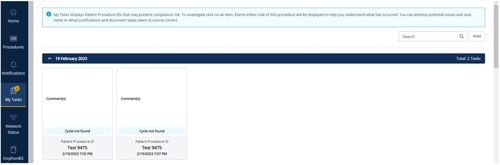
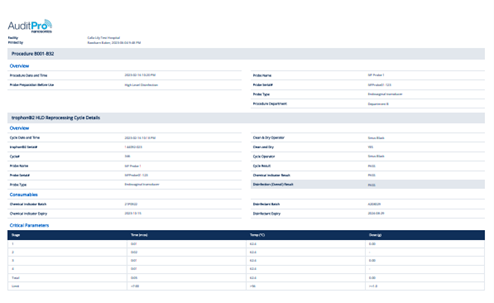
You may be asked to provide evidence of the probe disinfection for a specific patient.
1) Click the Traceability Search shortcut on the Homepage.
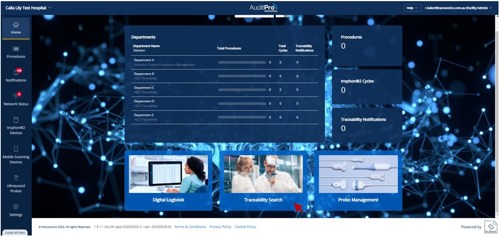
2) Enter a specific procedure of interest and press Enter on your keyboard.
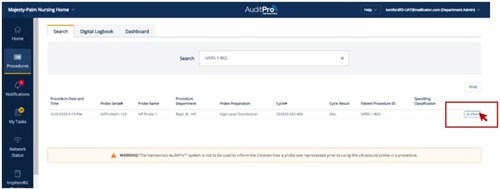
Solution 1: Workflow Compliance Management View
Solution 2: Digital Logbook View
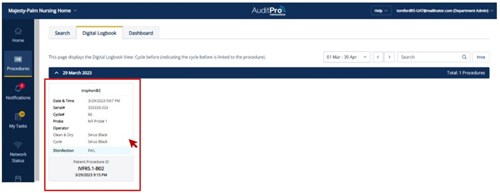
3) Click the View button for Soltuion 1 or the tile for Soltuion 2 (see above for each) to print out the report which contains the evidence of reprocessing cycle associated with the procedure.
 Global Site
 USA
USA Canada (English)
 Canada (French)
 French
 Deutschland
 UK
UK Ireland
 New Zealand
 Japan
Japan